Adobe Commerce & Magento エンタープライズ拡張機能
大規模な Magento 2 / Adobe Commerce ストアへ、高拡張性を誇る Loxia AI 音声接客を実装します。
Loxia AI - Voice & Chat Shopping Assistant
Magento 2 & Adobe Commerce 向け Voice AI モジュール
複雑なB2B/B2Cカタログや顧客別価格テーブルを完全同期し、購入体験を劇的にスピードアップさせます。
Features for High-Volume Magento Merchants
High-performance architecture built for Adobe Commerce and Magento Open Source
Complex SKU Voice Search
Instantly locates technical parts, variations, and SKUs through conversational voice.
8K AI Virtual Try-On for Apparel
Photorealistic garment visualization directly integrated into your Magento product views.
B2B Tiered Pricing Recognition
Recognizes logged-in commercial accounts and factors in wholesale price lists.
GraphQL & Headless PWA Ready
Runs with zero friction across Hyvä Themes, Luma, and headless PWA Studio builds.
EC向け AIバーチャル試着室&サイズアドバイザー
購入率を高め、返品率を最大40%削減。チャット内で写真を使ってリアルタイムに試着イメージを確認できます。
- 写真やセルフィーからリアルな着用イメージを生成
- 商品ページからすべての商品画像とカラーバリエーションを自動取得
- スマート体型&サイズ診断(スリム、レギュラー、オーバーサイズ)
- GDPR完全準拠の明示的同意と安全なデータ管理
AI バーチャルアシスタント
オンライン • AI アシスタント(自動応答)
商品写真から8Kファッション撮影&60fps動画広告へ
高額なカメラマンやスタジオ手配はもう不要です。スマホ写真をアップロードするだけで、AIが業界に応じた最適な空間を演出。8Kマルチアングル写真と60fps商業広告動画を同時生成します。
業種・業界を選択してください:
ファッション・アパレル&EC
洋服の平置き写真を、リアルなモデル着用写真と美しい夕暮れの光が際立つハイファッション広告へ昇華させます。
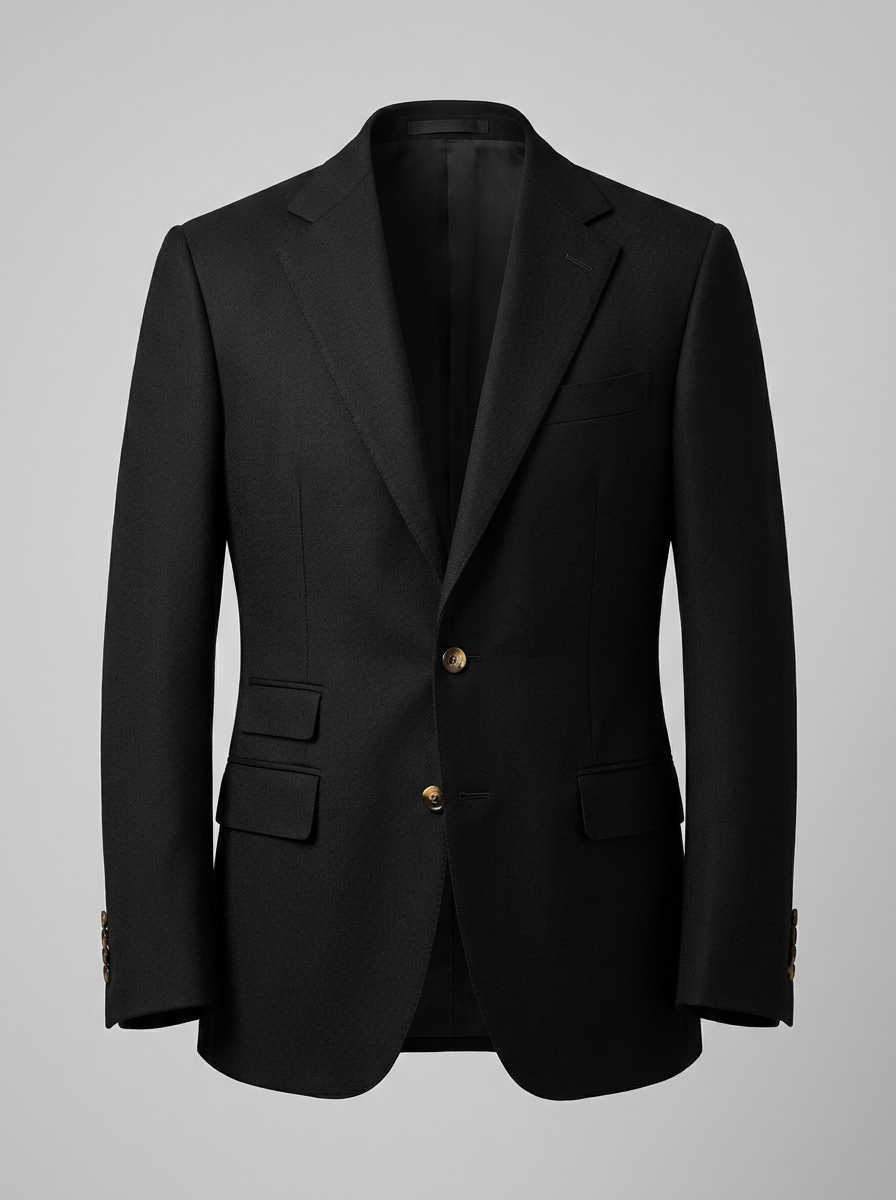
ブラックウール仕立てブレザー (製品単体)
無地背景での商品単体撮影:生地の質感、ラペル、ステッチをそのまま再現。
ファッション・アパレル&EC · Spot Commerciale Dinamico
📍 ミラノ ガッレリア · ゴールデンアワー · Camera glide fluido, illuminazione volumetrica e prodotto reale perfettamente integrato.
Magento Technical Architecture
Optimized GraphQL connector with zero server performance penalty
High-Speed GraphQL Bridge
Communicates directly with Magento GraphQL endpoints under 200ms.
Catalog & Inventory Indexing
Continuous background sync of stock, price tiers, and custom product attributes.
Session Cart Synchronization
Adds products into the active customer cart without page reload.
How to Install on Magento in 3 Steps
Standard Composer deployment
Install Module via Composer
Run composer require loxia-ai/magento2 in your Magento root directory.
Configure API Key
Navigate to Stores > Configuration > Loxia AI and paste your access key.
Flush Cache & Launch
Execute bin/magento cache:flush to enable the voice widget across store views.
Frequently Asked Questions about Magento
Is it compatible with Hyvä Themes?↓
Yes, Loxia AI is fully compatible with Hyvä Themes, Luma, and custom headless storefronts.
Does it support multi-store and multi-currency?↓
Yes, fully supports multi-website Magento setups with independent pricing and currencies.
Does it impact Magento Core Web Vitals?↓
No, the widget loads asynchronously via global edge CDNs without affecting TTFB or LCP.
Transform Your Adobe Commerce Store with Voice AI
Deliver an enterprise-grade voice shopping experience to your global buyers.